Making doctor appointments easier: Fixing booking problems, ensuring easier access to vital doctor info, and improving the whole experience for everyone.
Their Problem
Balancing professional life while prioritizing health can pose challenges. Discovering a trustworthy doctor, syncing with their availability, appointment scheduling takes time, and sourcing high-quality healthcare professionals presents hurdles. Managing these appointments with a busy lifestyle becomes complex. Moreover, existing apps lack user-friendly interfaces and fail to provide adequate assistance, offering unsatisfied support for health management.
My Approach
System to manage appointments, checkups, and follow-ups.
Organizing medications and setting reminders.
Video calls for quick consultations.
Handling and storing health reports.
Health discussions with doctors in an online community.
Booking ambulance services.
Design Process
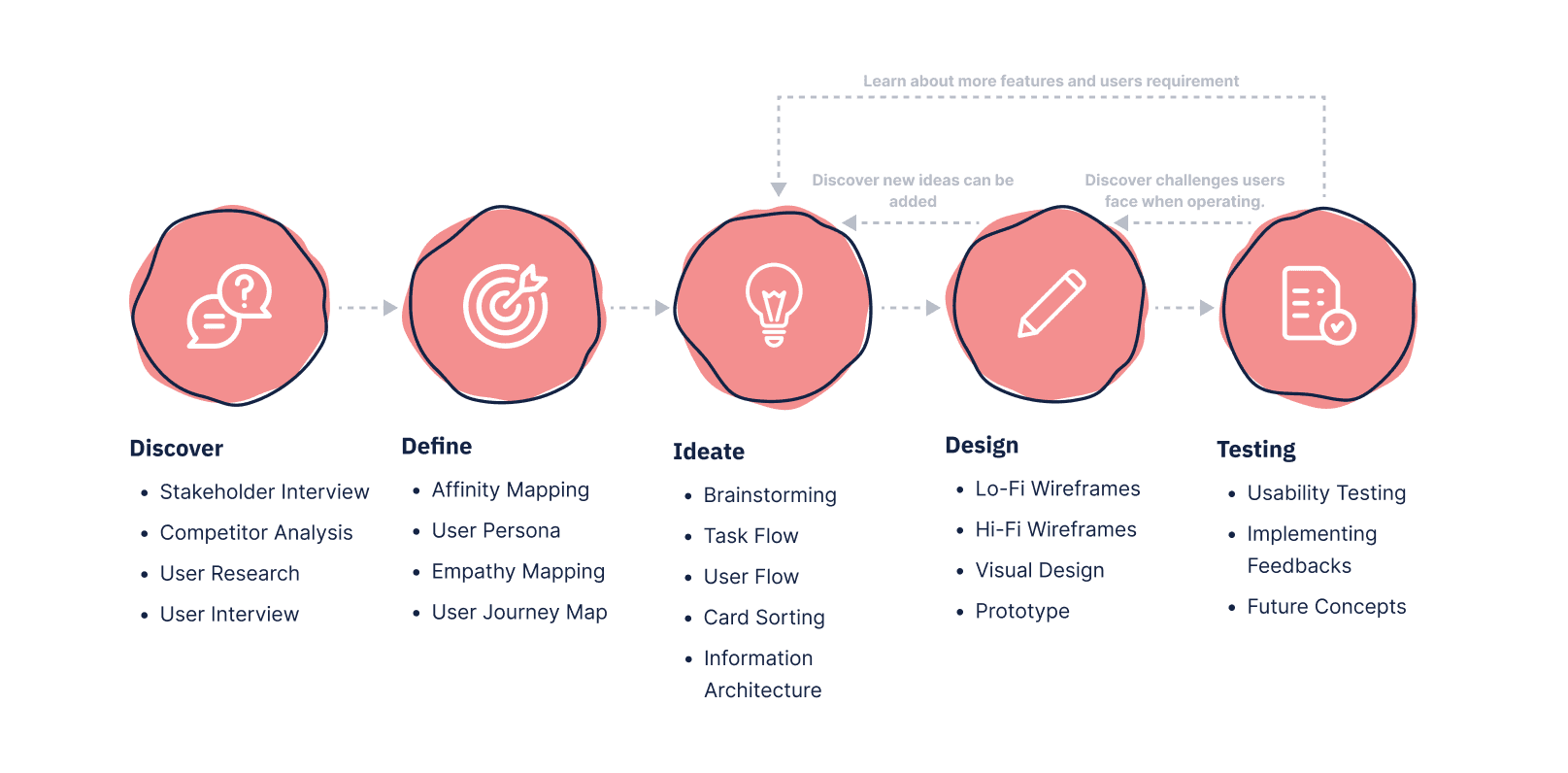
Through a user-centric approach, design process focuses on understanding user needs, prototyping, and iterative testing, ensuring a seamless and intuitive user experience.
Competitor Research
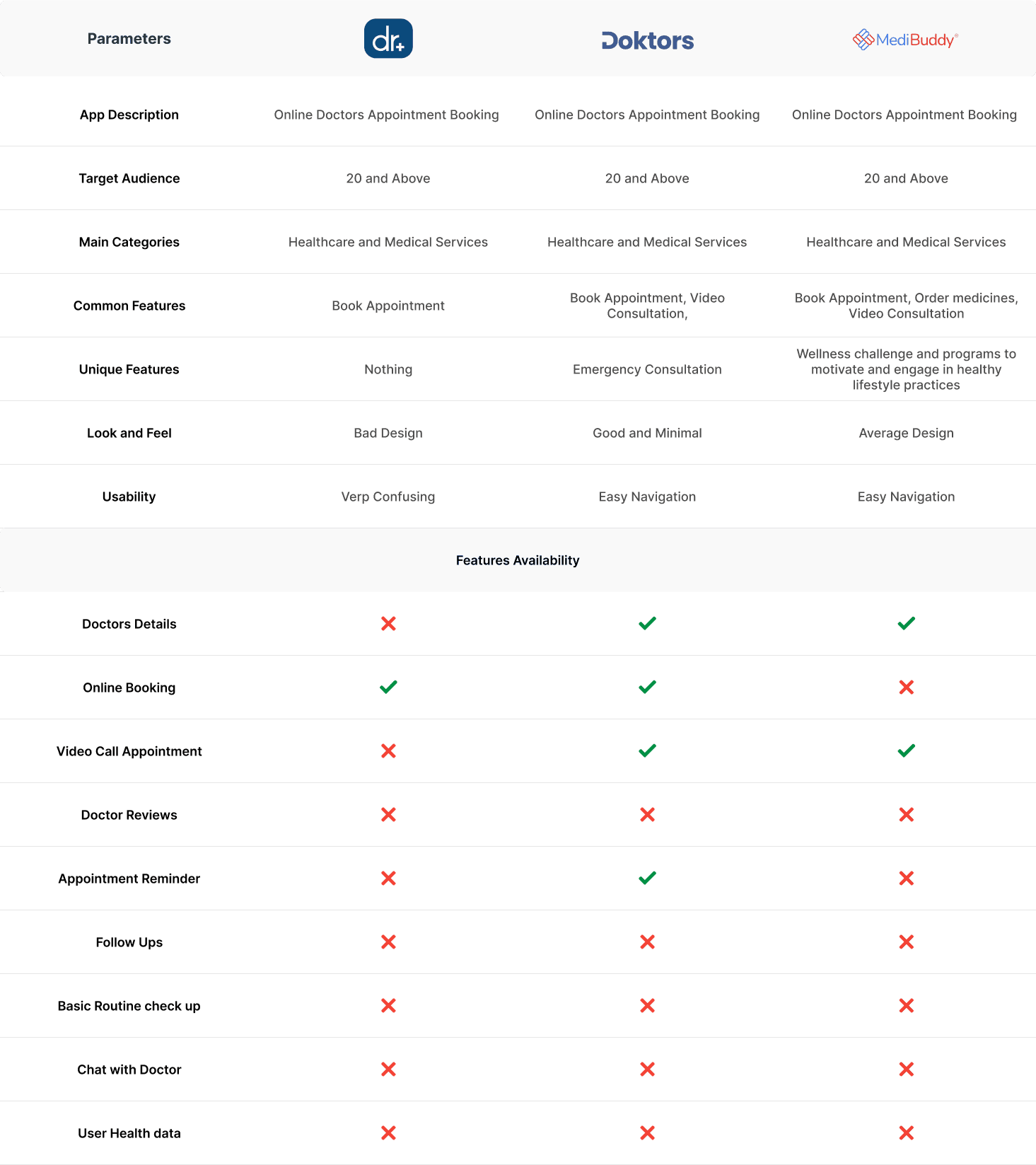
By examining competitors' strategies and market positioning, we identify key strengths and weaknesses, guiding our strategy to offer unique and competitive solutions
User Research
Doing thorough research on users helps us understand how they act and what they like. This helps us make smart choices in designing solutions that fit their needs well and are easy for them to use.
Qualitative Research
Through in-depth qualitative research, we deeply explore user experiences and preferences, shaping our design strategies to ensure intuitive and impact solutions.
Key Insights Derived From User Interview :
Struggle with booking appointments.
Lack options for regular checkups or basic consultations.
Monthly checkups are necessary during pregnancy.
Never tried online appointment apps before.
Need information about clinic, doctor's expertise, and specialization.
+ More
Quantitative Research
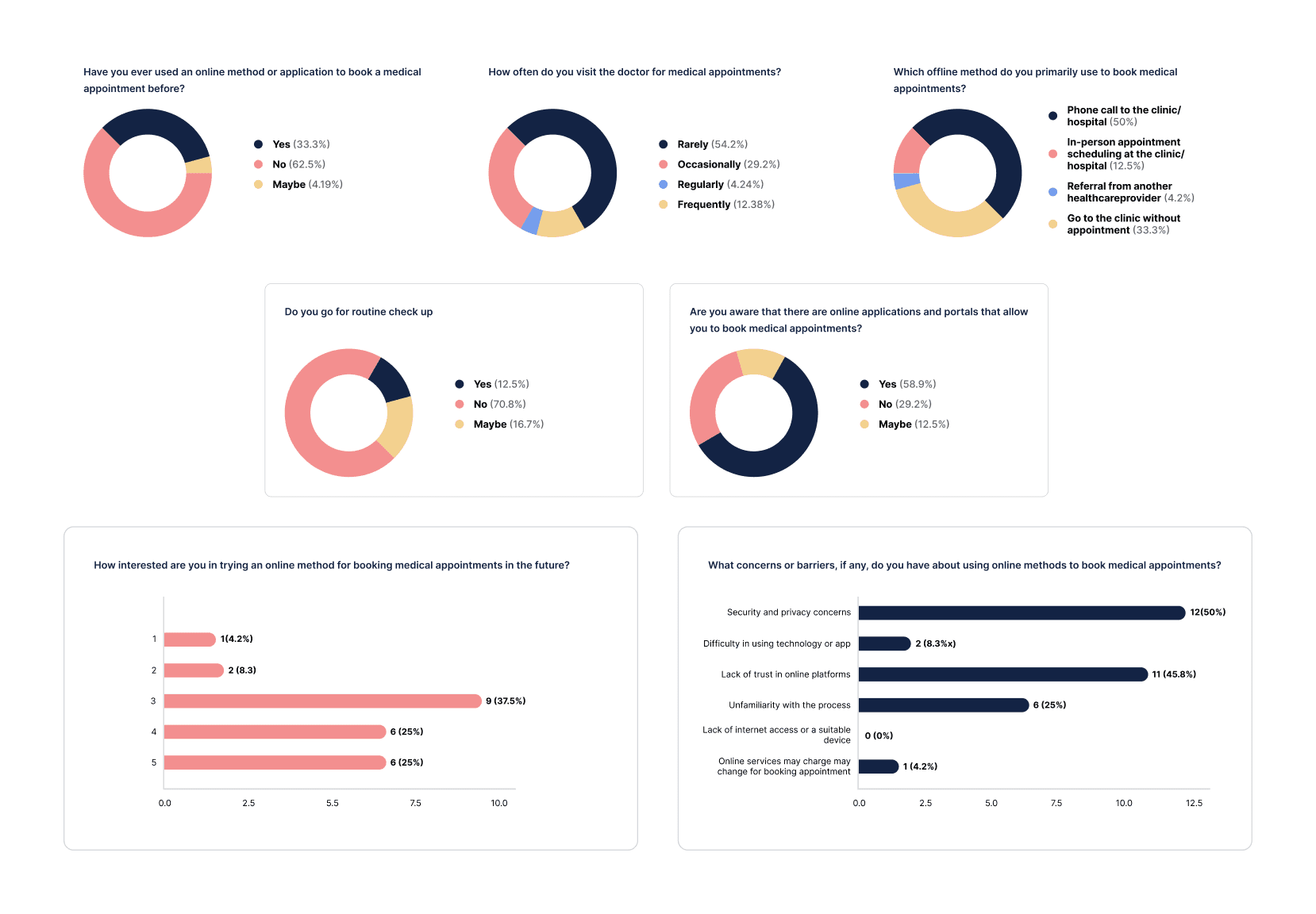
Engaging in quantitative research, we systematically gather numerical data through surveys or forms distributed to a wide user base, enabling thorough analysis of statistical insights.
Key Insights Derived From User Interview :
Most people don't go to the doctor a lot, so they don't have appointments often.
Half of the people prefer making appointments by calling the clinic, and others like to do it in person. This shows that many still like the traditional ways.
A lot of people don't get regular checkups. This could be a chance to encourage them to take better care of their health.
Many people know about apps for booking medical appointments, but quite a few don't. This suggests we should tell more people about these apps.
Some people really want to try booking appointments online, but others aren't so sure. People have different feelings about using it.
+ More
Affinity Mapping
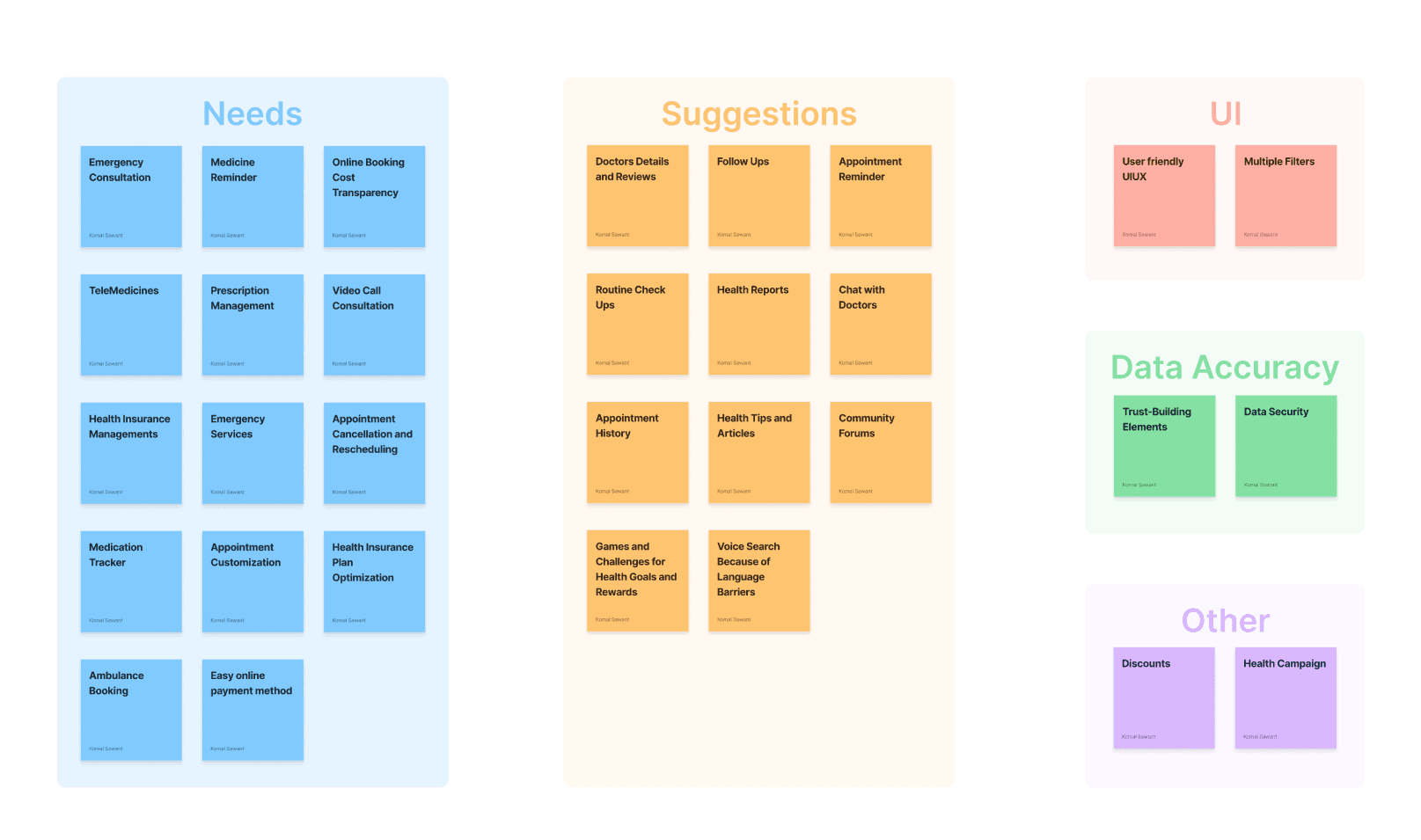
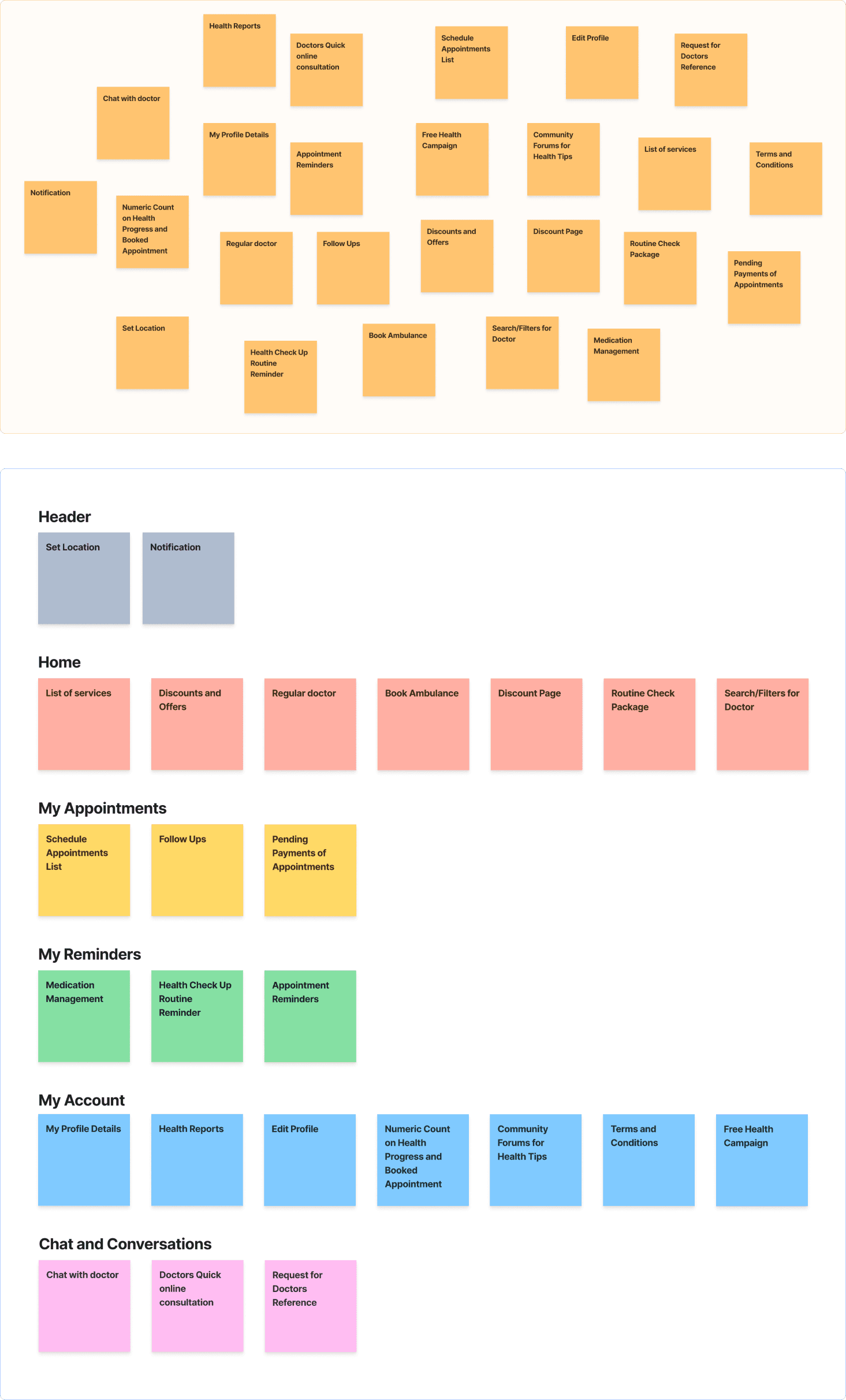
Through the process of affinity mapping, we categorize and organize diverse user data collected from various sources, creating visual representations that cluster common themes and insights. This method helps in identifying patterns and connections within user experiences, facilitating the extraction of actionable insights for informed decision-making and solution development.
User Persona
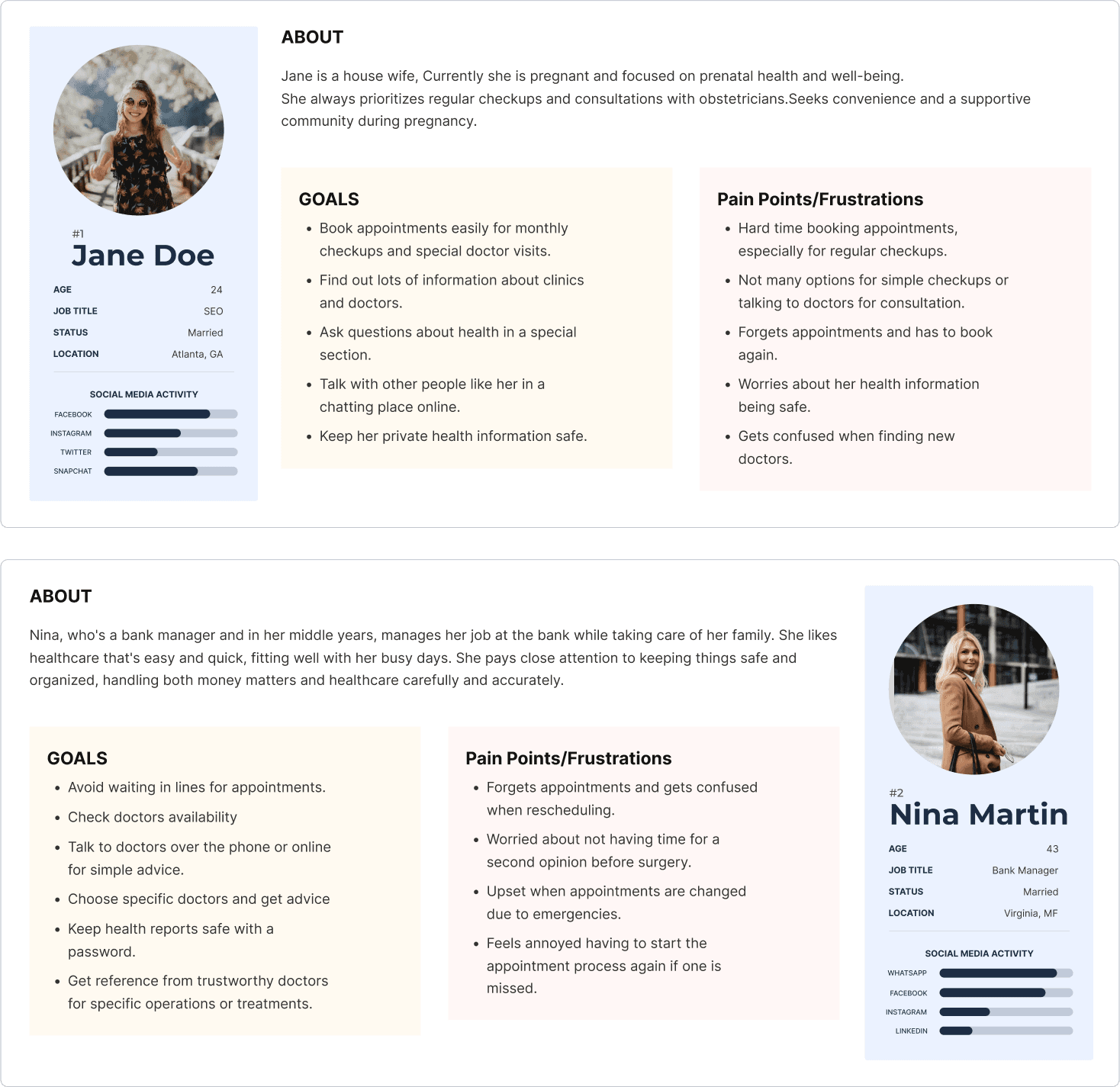
In crafting user personas, we combine insights from interviews with over 5 users, including Jane Doe, a pregnant woman, and Nina Martin, a health-conscious individual balancing a busy work schedule.
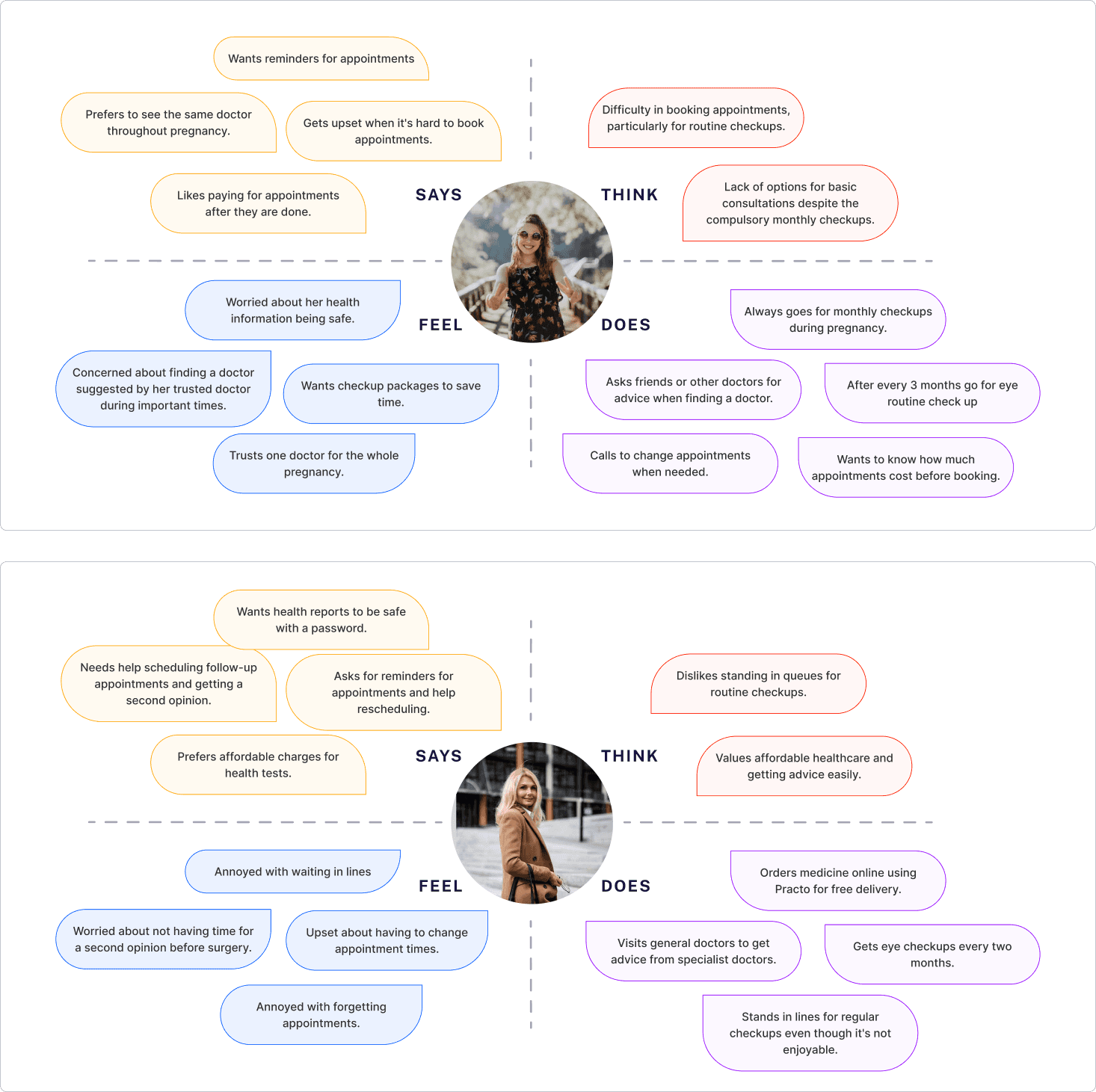
Empathy Mapping
Empathy mapping captures how users think, feel, and behave, helping understand their needs deeply for better-designed solutions.
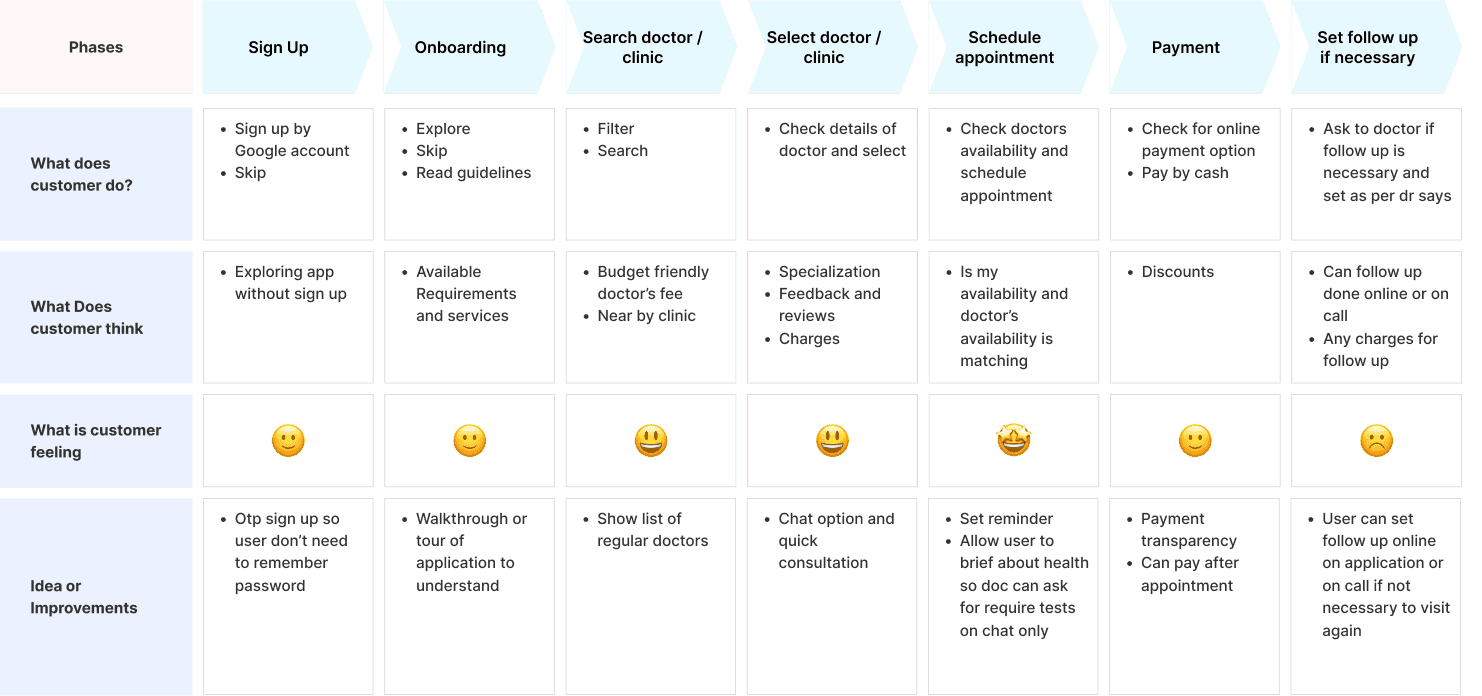
Journey Map
Through journey mapping, we outline the step-by-step experiences of users, like Jane Doe navigating her pregnancy or Nina Martin balancing health priorities within her hectic work schedule. These visual maps shows their interactions, emotions, and pain points, guiding the design of solutions that better cater to their specific needs.
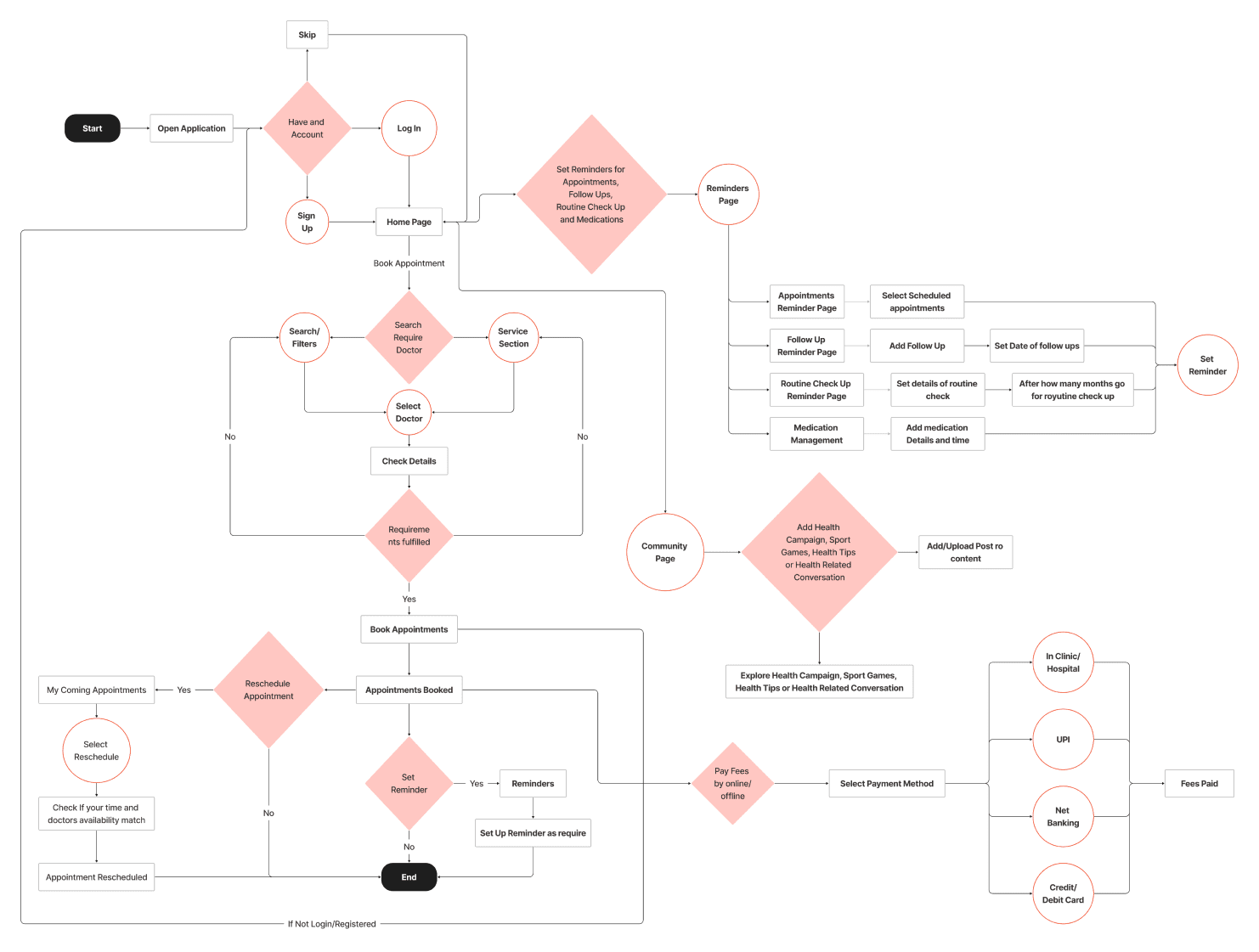
User Flow
In the user flow design, we analyze user pathways, map interactions, and refine the journey using researched information, ensuring a smooth and logical navigation experience for users.
Card Sorting
In card sorting, users organize and prioritize content or information, helping to better understand their preferences and mental models, resulting in improved organization and user-friendly systems.
Information Architecture
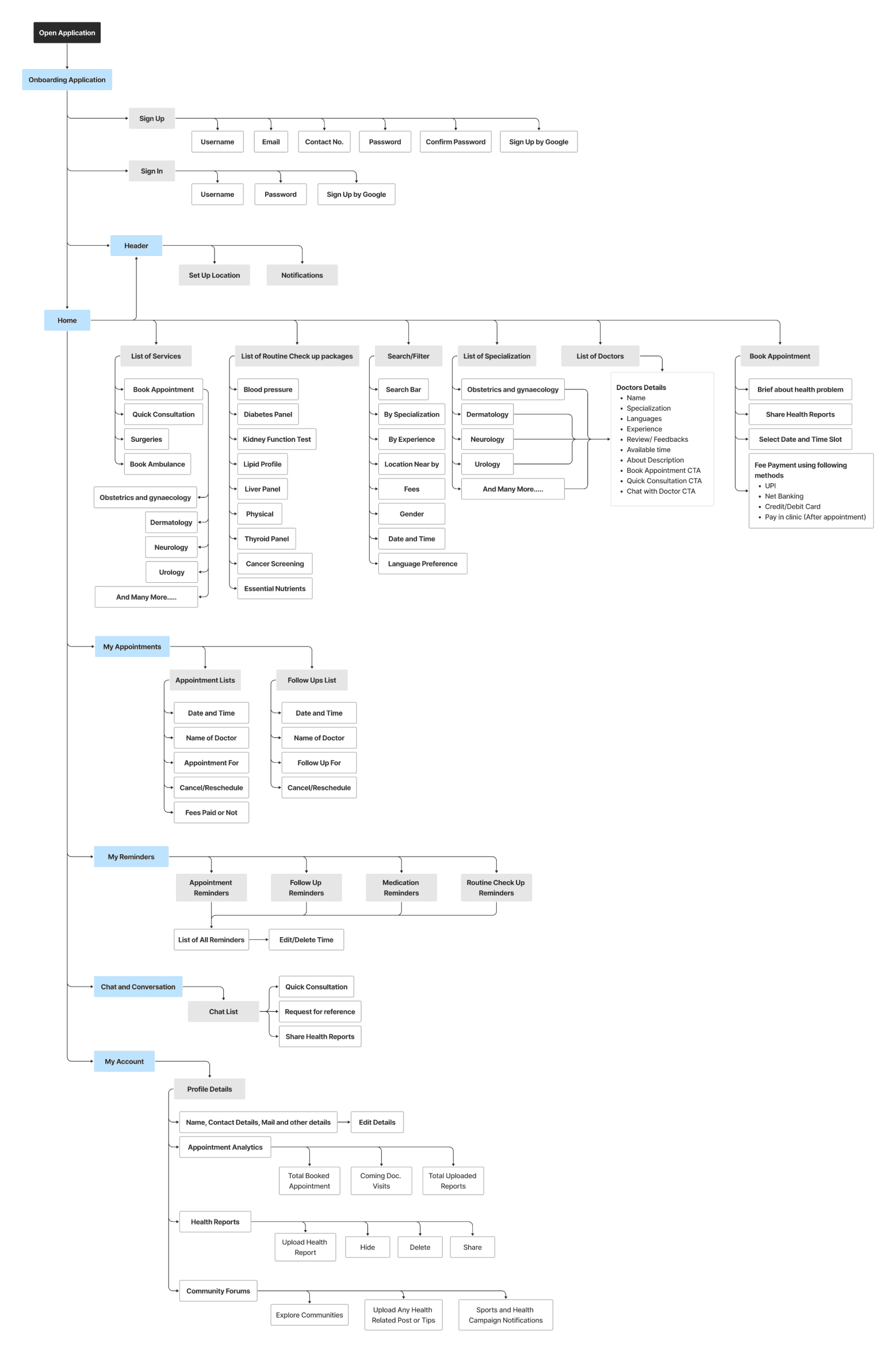
In Information Architecture, we structure and organize content, aiming to understand user expectations and behaviors to create intuitive and well-organized systems, ensuring easy access to information and seamless user interactions.
Lo-Fi Wireframes
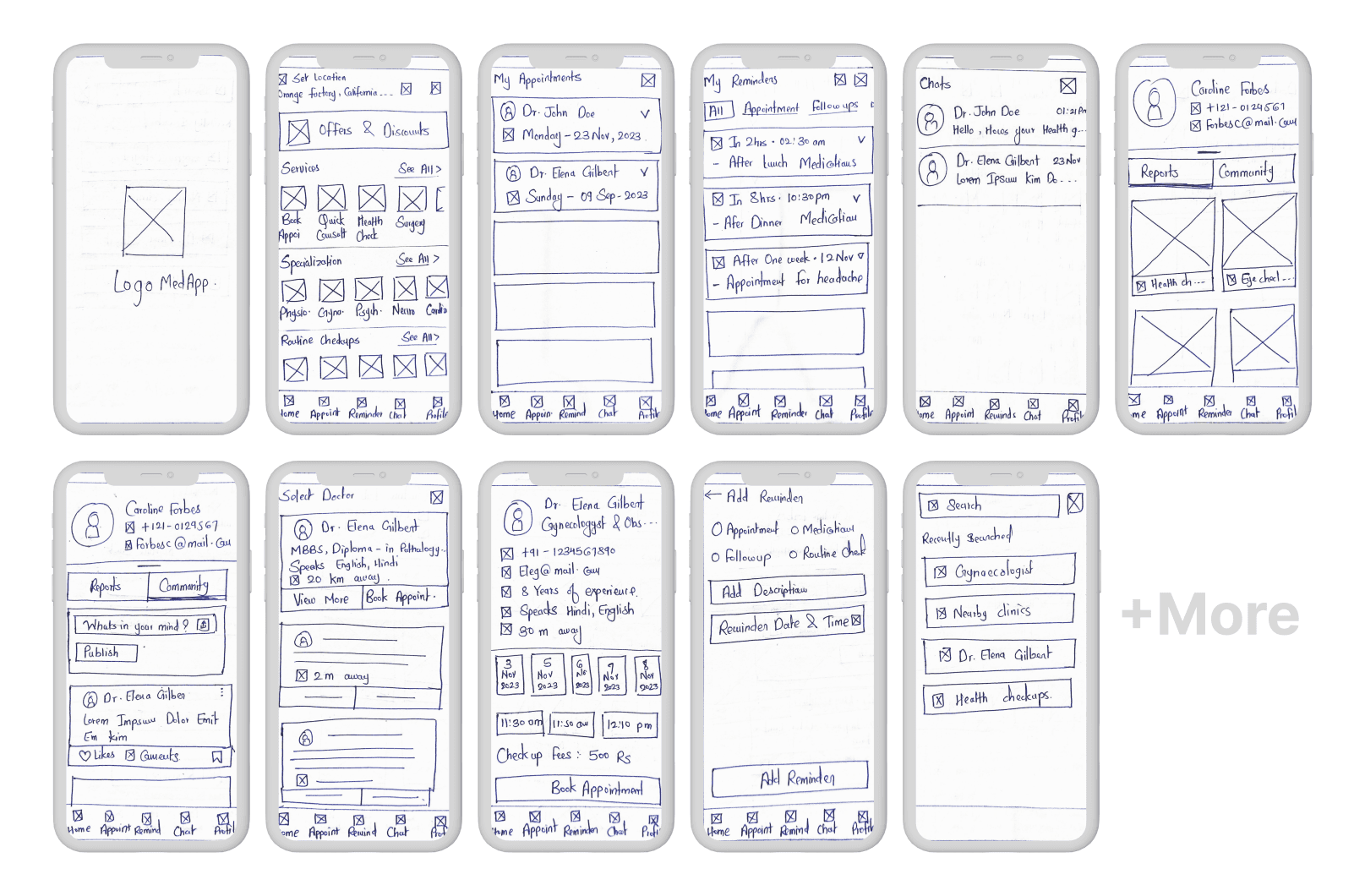
In Low Fidelity Wireframing, we create basic outlines of interfaces, focusing on user needs and early-stage design, enabling quick testing and refinement, ultimately aiming for an intuitive and user-friendly final design.
Mid-Fi Wireframes
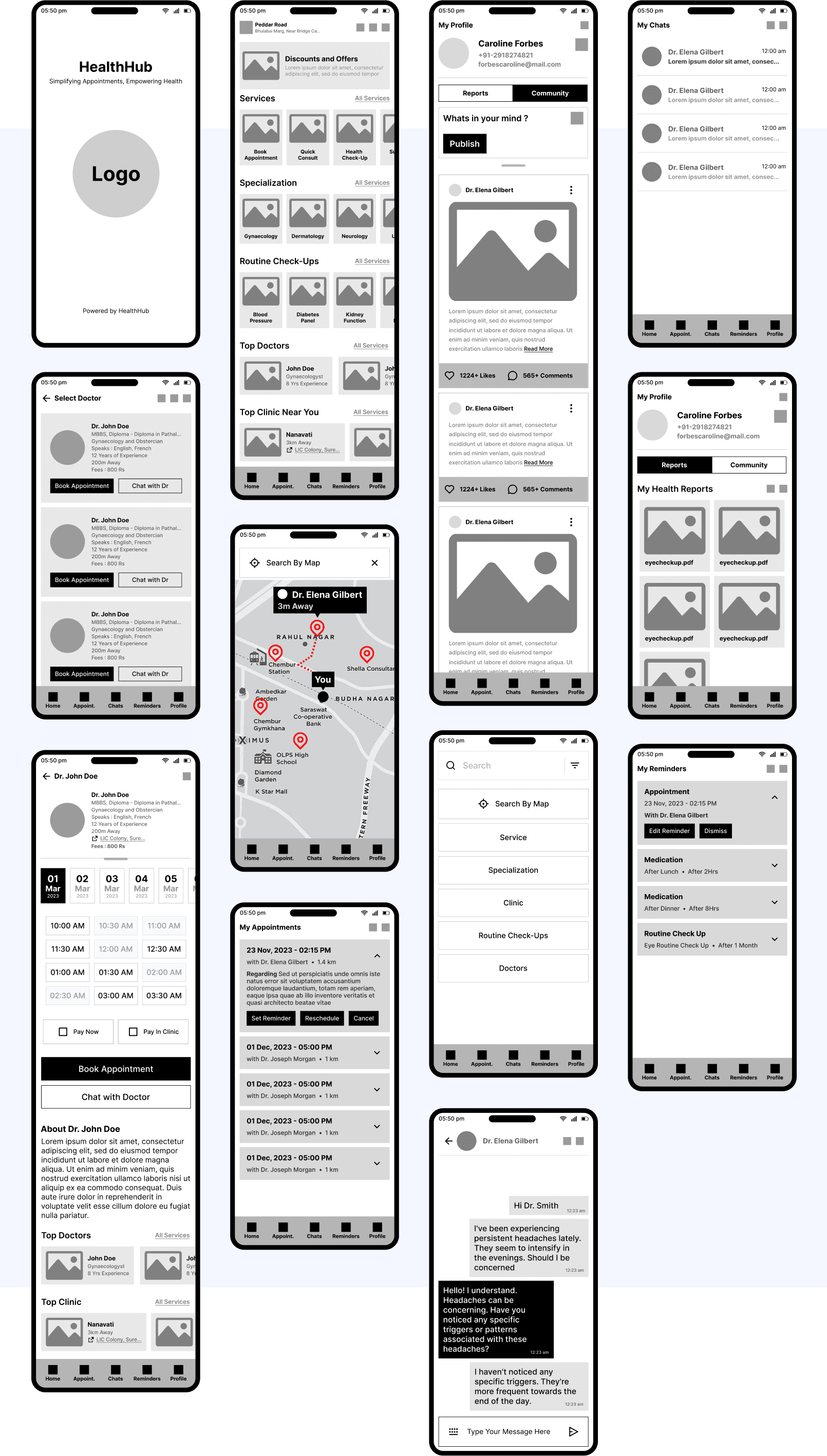
In Low Fidelity Wireframing, we create basic outlines of interfaces, focusing on user needs and early-stage design, enabling quick testing and refinement, ultimately aiming for an intuitive and user-friendly final design.
User Testing
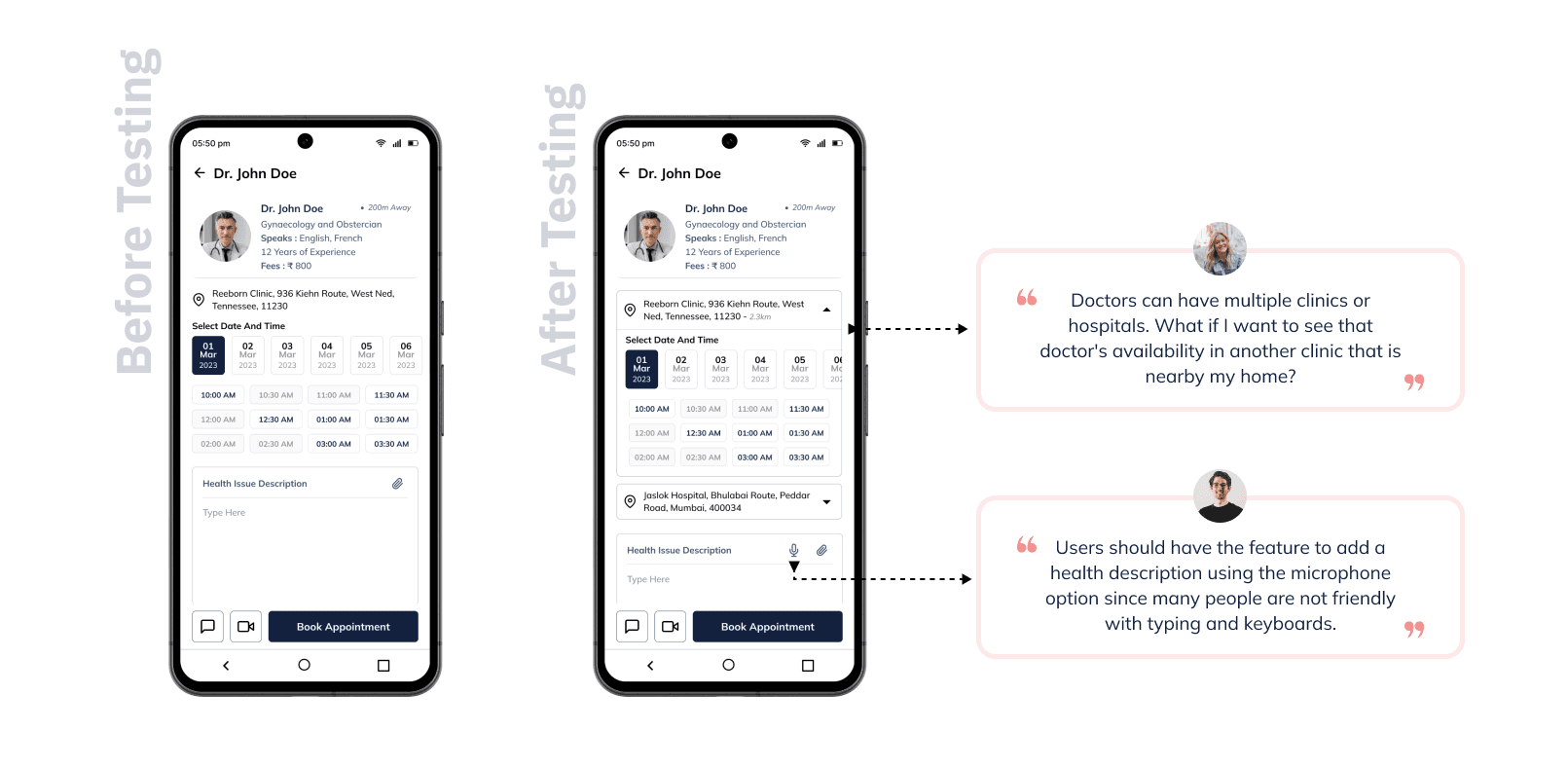
Through User Testing, our approach revolves around inviting users to interact with our prototypes. This enables us to observe their behaviors, preferences, and challenges they encounter while navigating through the interface. We gather invaluable insights that guide us in refining the design iteratively, ensuring the final product aligns perfectly with user expectations,
Task Given:
Book Doctor
Get Quick Consultation
Add your thoughts in Community
Explore Community
Add Health Report in profile
Add Medication Reminder
Reschedule Appointment
Add Any Reminder
Search Doctor by Filter and location
Observation:
Easily Navigating all features
Booked Appointment Successfully
Taking time to understand to set reminder
Some users struggle to operate prototyping
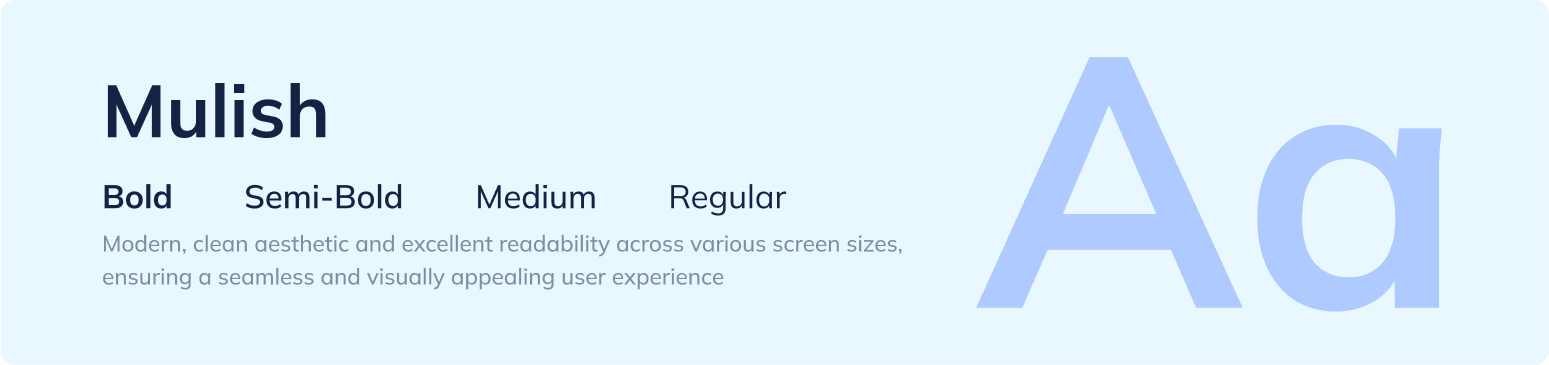
Typography
Color
The choice of color for the HealthHub platform reflects a deliberate decision to evoke a sense of calmness and tranquility, which is essential for patients navigating healthcare services. Blue hues are known for their soothing qualities, helping patient feel relaxed and at ease while interacting with the platform. This color scheme aims to create a comforting environment for users, enhancing their overall experience and instilling confidence in the platform's ability to support their health needs.

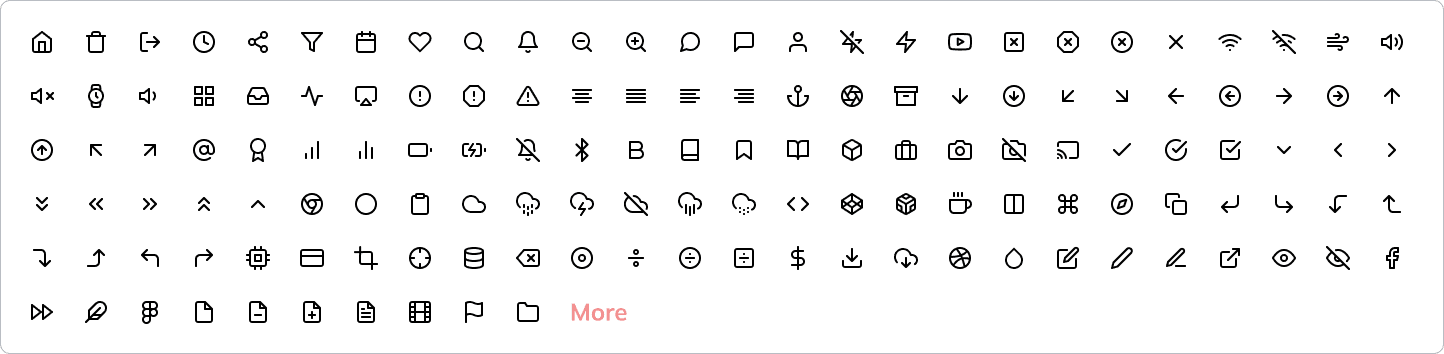
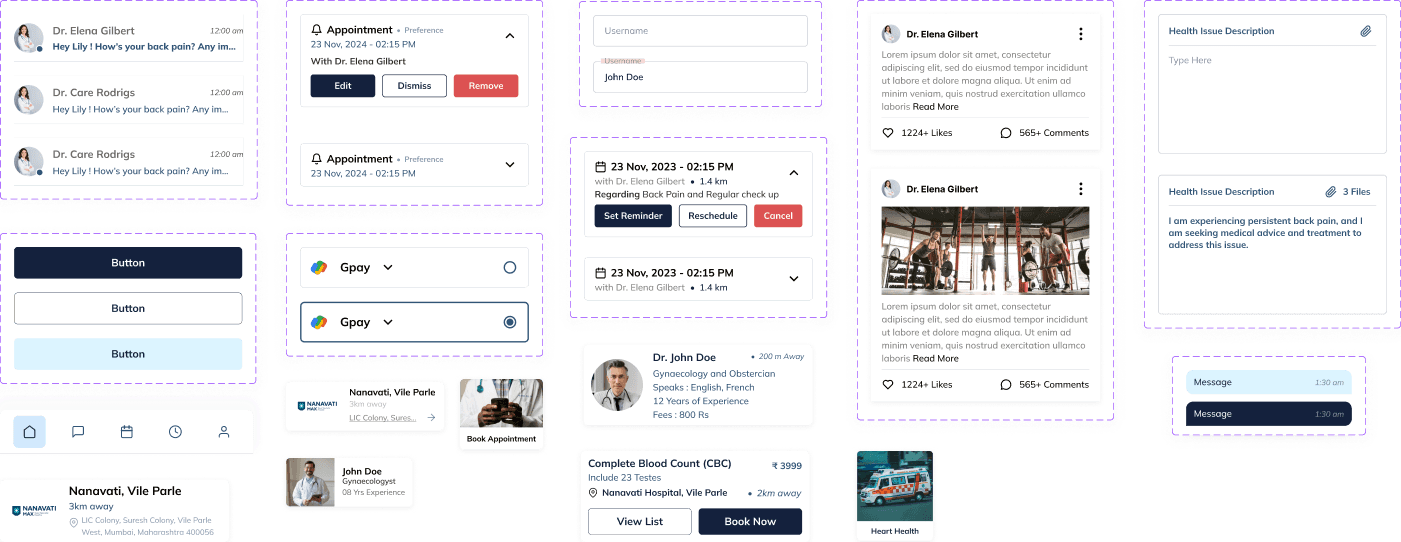
Icons and Components
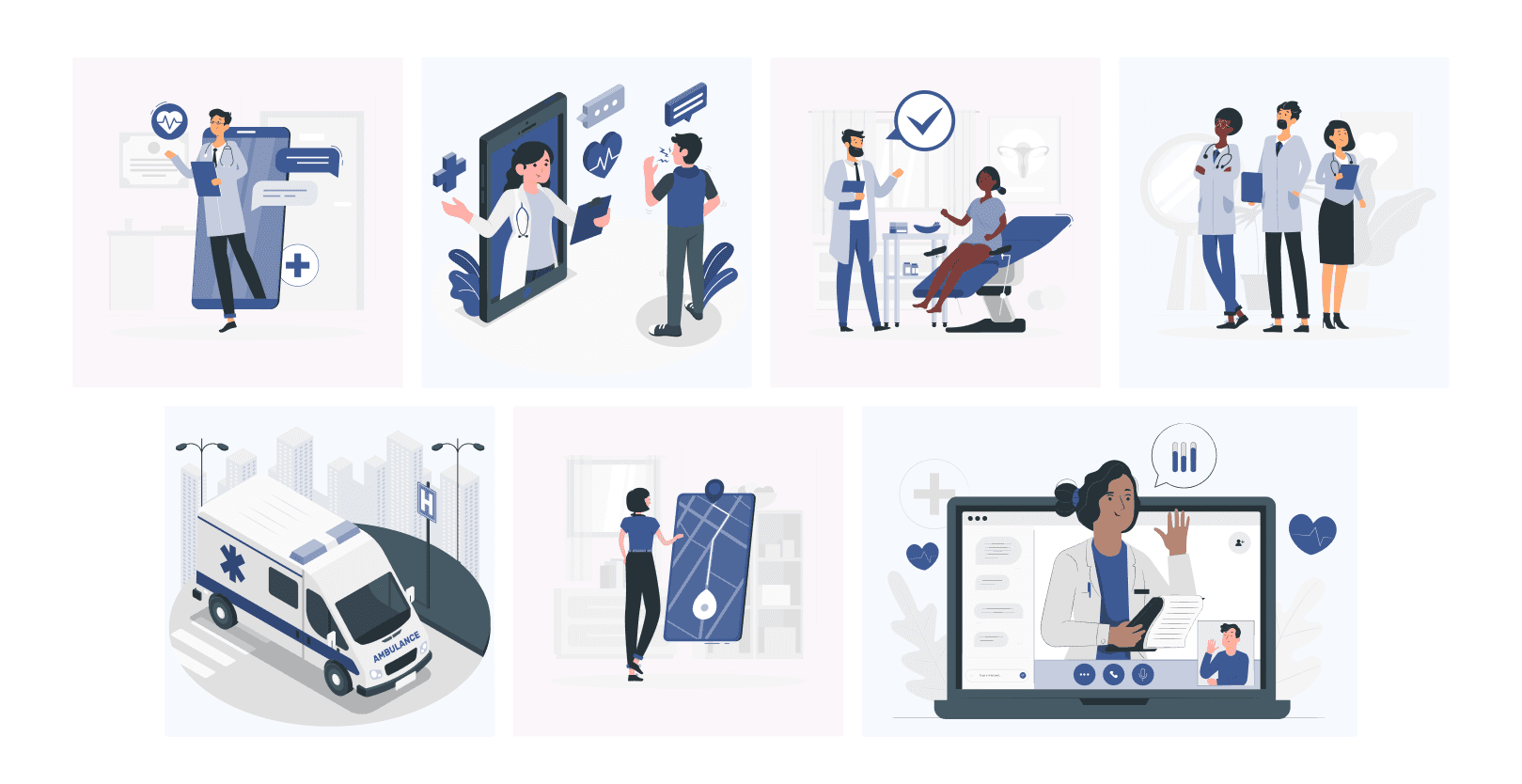
Illustration
Screen Designs
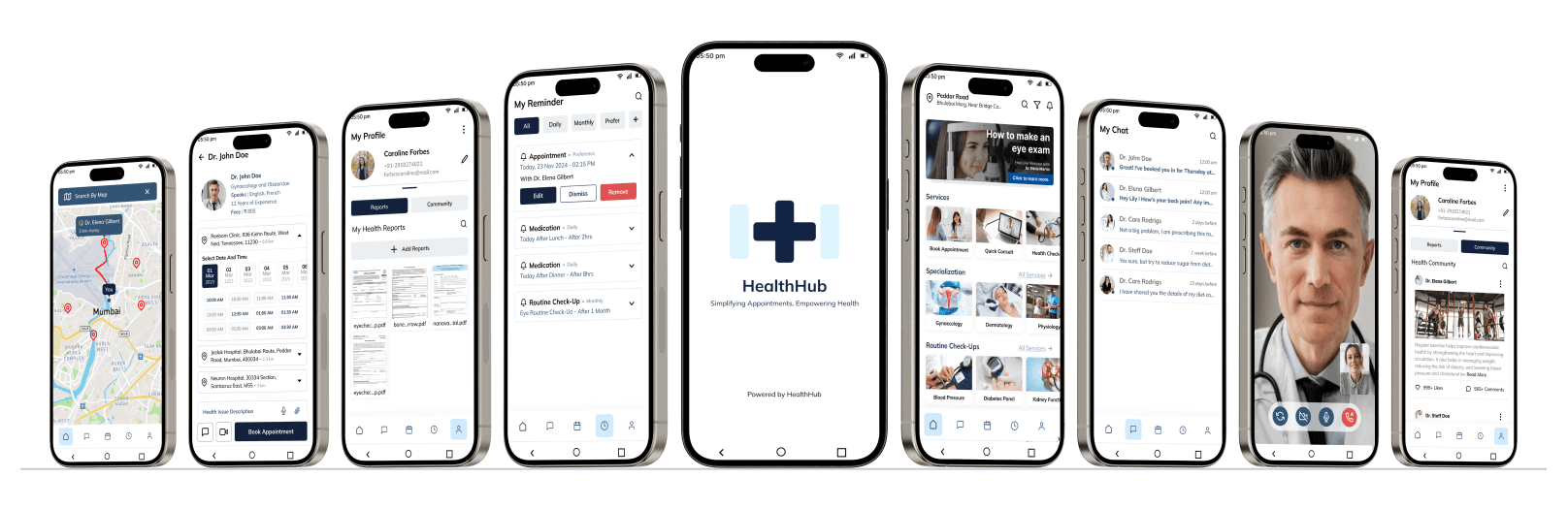
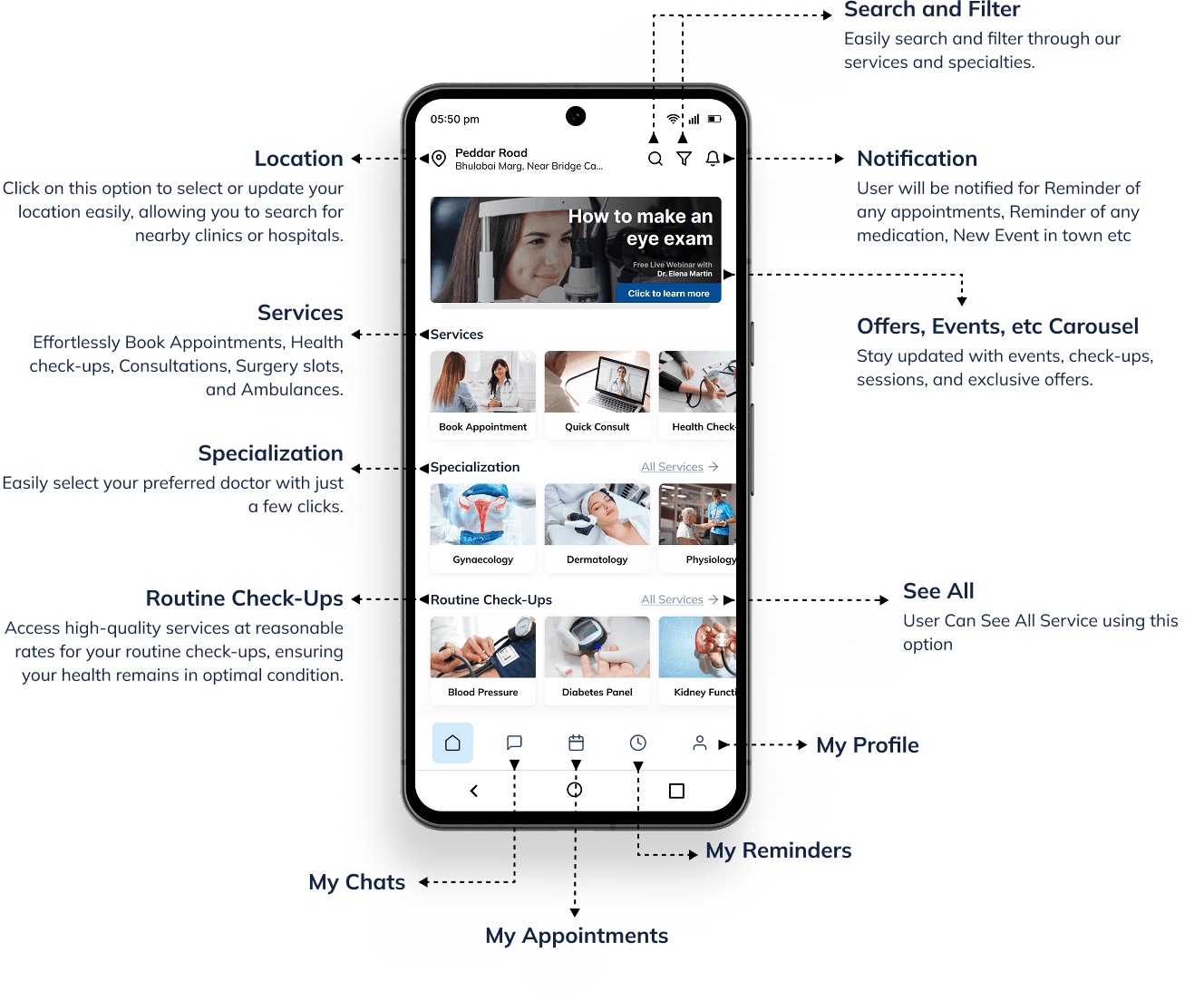
The screen design for HealthHub incorporates a clean layout with intuitive navigation, ensuring easy access to essential features. Vibrant blue hues evoke a sense of calmness, promoting a soothing user experience conducive to health and wellness. Streamlined elements and clear typography enhance readability and usability, facilitating seamless interaction for users.
Home Page
Task Flow
Onboarding
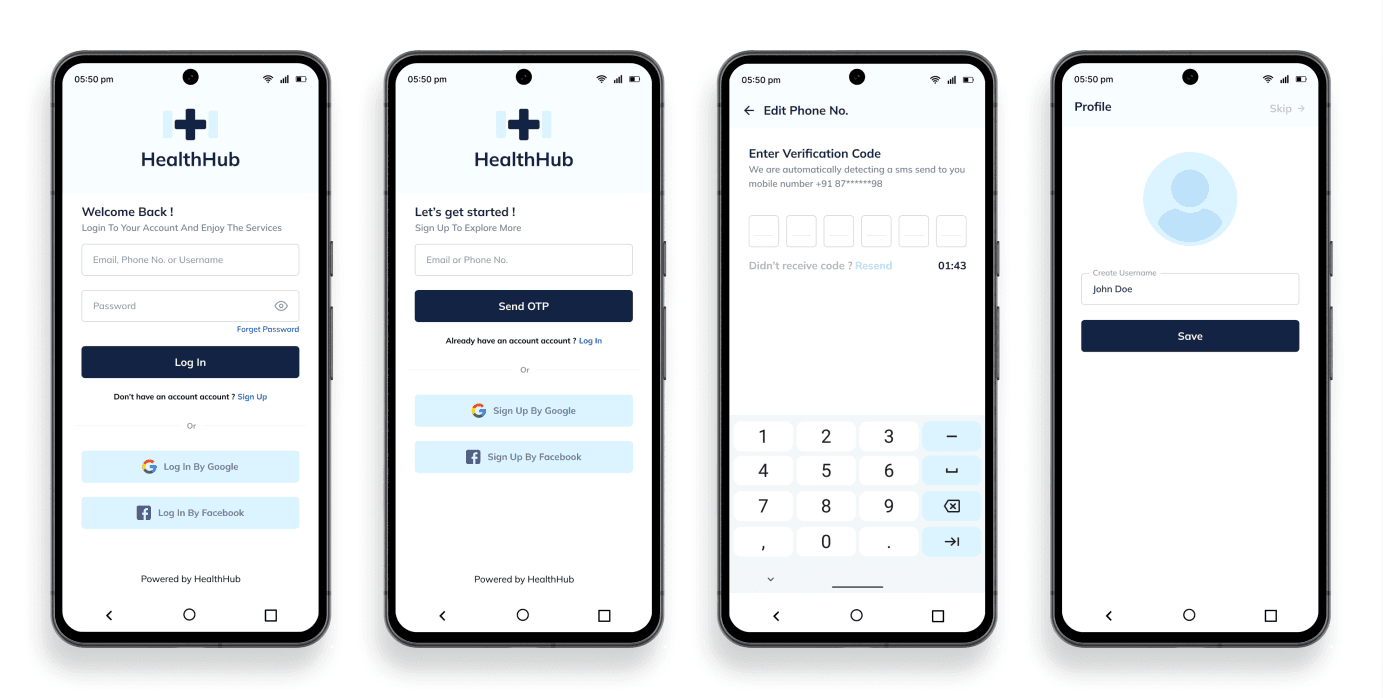
HealthHub's onboarding simplifies access with options for traditional login, sign-up, or using Gmail and Facebook credentials.
Search Doctor
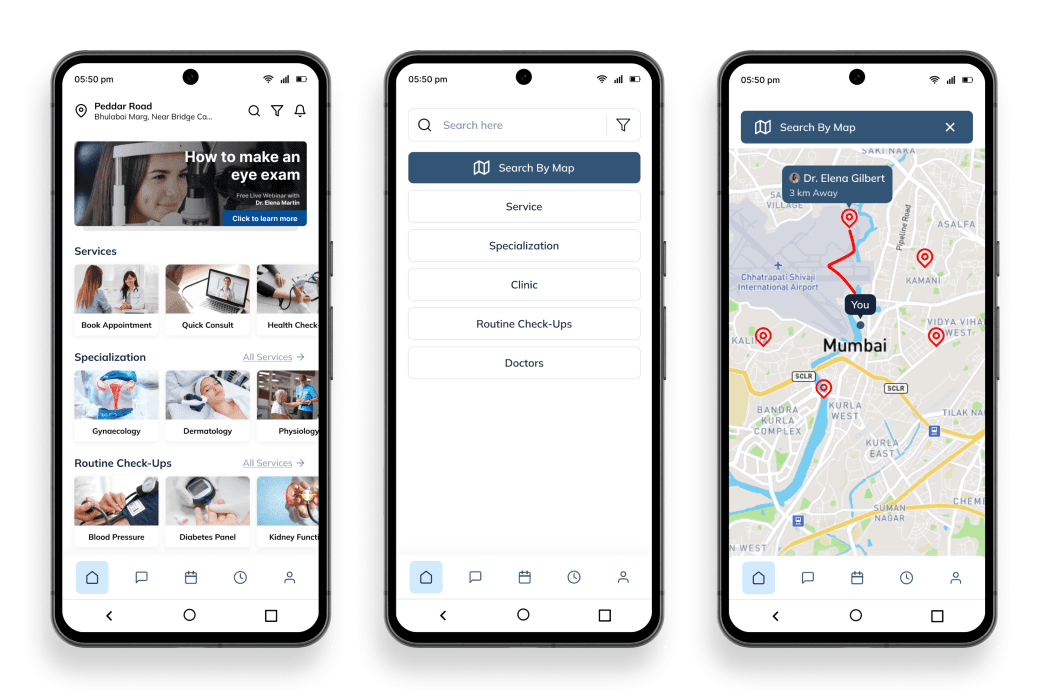
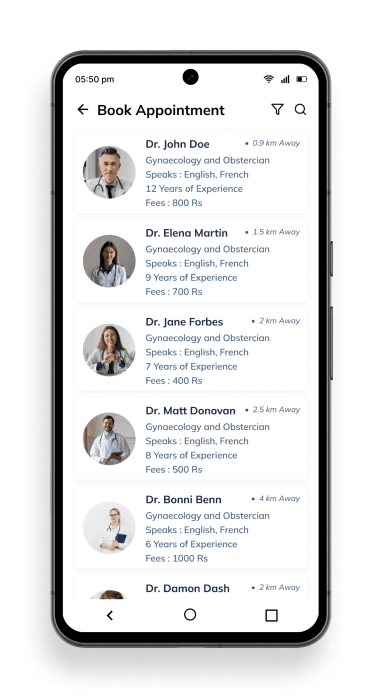
HealthHub's doctor search feature allows users to find practitioners using a search box and filters, with the added convenience of locating nearby clinics via an integrated map view.
Select Doctor
The walkthrough screens of HealthHub guide users effortlessly through the app's key features, fostering familiarity and ease of use.
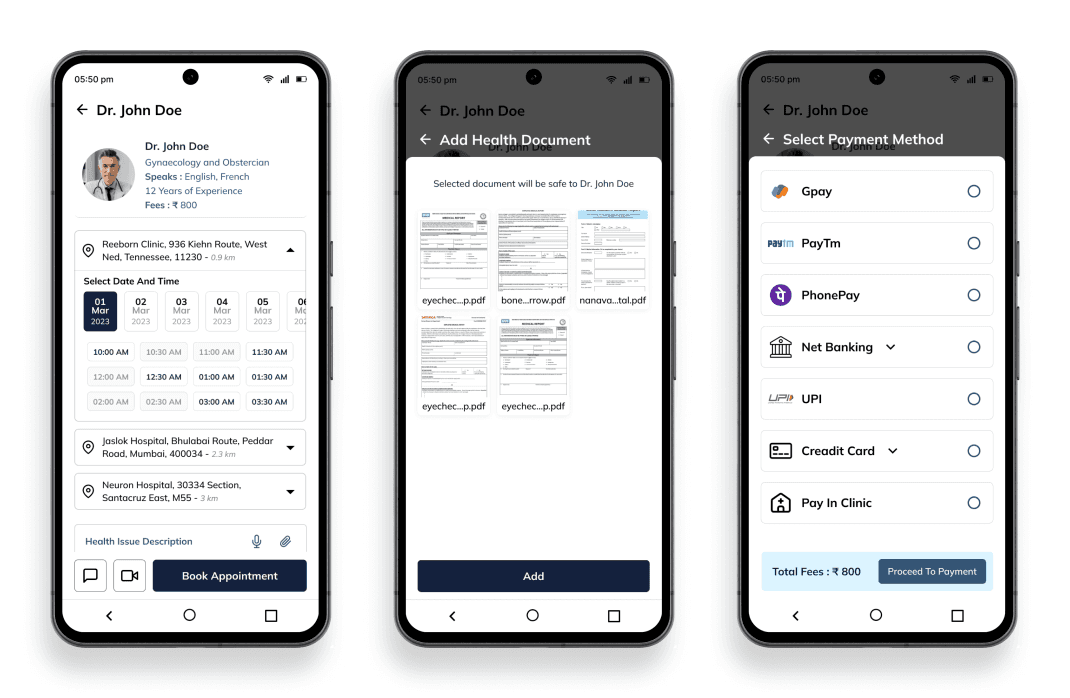
Book Appointment
The walkthrough screens of HealthHub guide users effortlessly through the app's key features, fostering familiarity and ease of use.
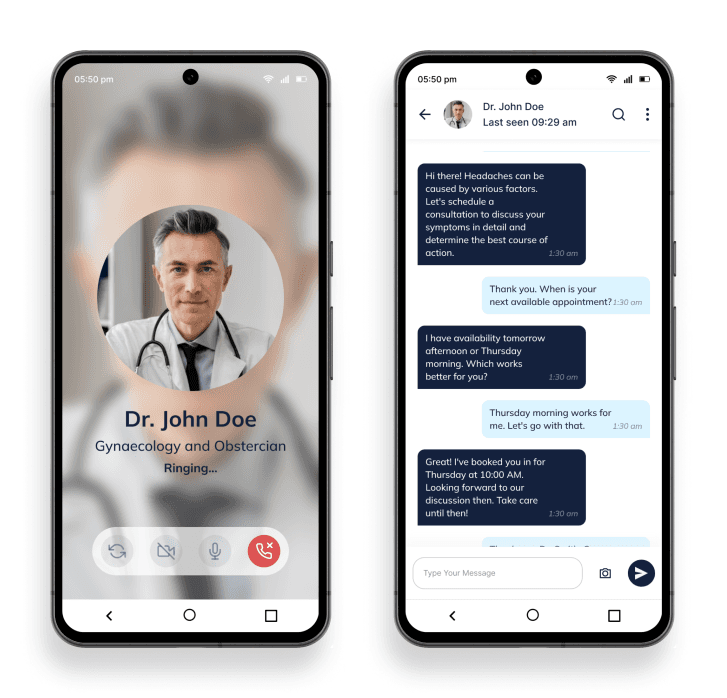
Quick Consult by Chat or Video call
Users can quickly consult with healthcare professionals via chat or video call for immediate assistance and medical advice.
More
Book Routine Health Package: Easily schedule comprehensive health checkups and wellness packages tailored to your needs for proactive healthcare management.
Book Ambulance: Access emergency medical transport services with ease, ensuring swift and reliable assistance during critical situations.
Book Surgeries: Seamlessly arrange surgical procedures with qualified medical professionals, ensuring efficient and timely healthcare interventions.
User Testing and Feedbacks